GPS — instantly, offline
Speed, distance and average are computed from satellites on the device. The network is only needed to load map tiles.
Android · GPS · no ads
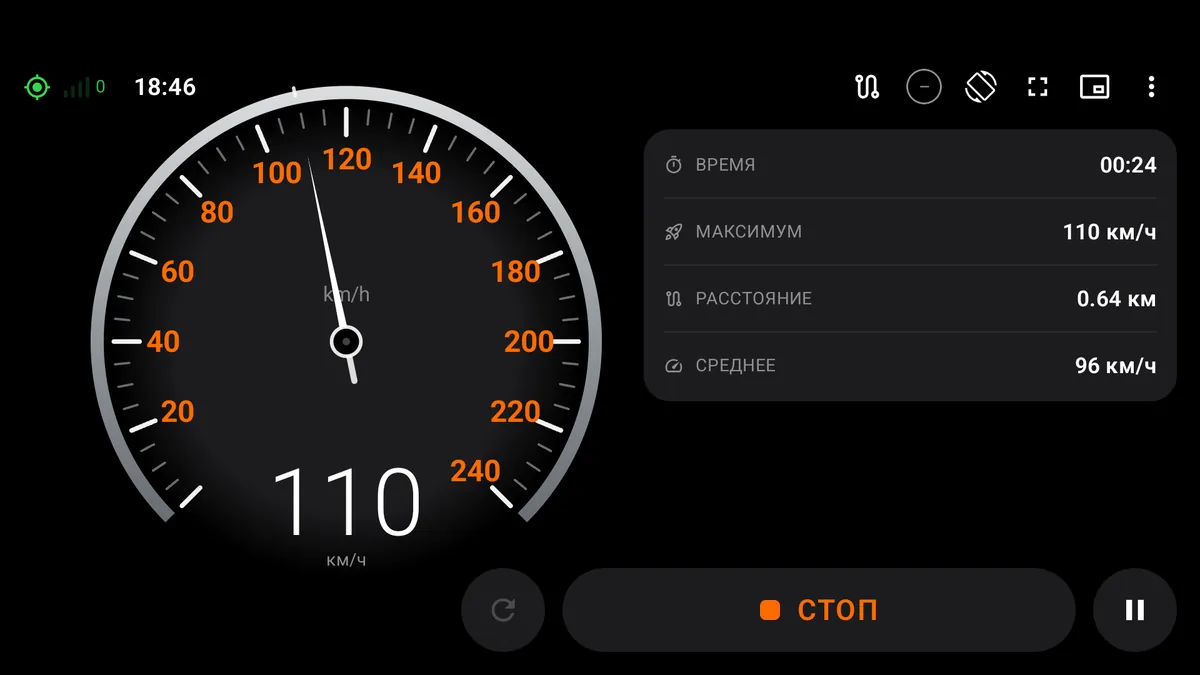
An everyday GPS speedometer: a big dial, speed limit alert, map track and a HUD for the phone on your dashboard.
Screens
Shot on a phone. Tap any screenshot to enlarge.
Features
Everything is computed on the device: minimum taps, maximum readability, zero tracking.
Speed, distance and average are computed from satellites on the device. The network is only needed to load map tiles.
Huge speed on a black screen, mirroring for reflection and maximum brightness. Put the phone on the dashboard.
Route line over the map, auto-zoom to the track bounds and GPX export — for Strava, Komoot or OsmAnd.
Trips are saved automatically: date, time, distance, average and maximum speed.
Dark and light themes, accents, digit fonts, km/h or mph, three dial styles and 7 interface languages.
No account, no ads, no analytics. Coordinates and trip history stay on your phone — no copies on servers.
Install
The APK installs directly, without an app store. It takes a couple of minutes.
Tap “Download APK”. The file lands in your Downloads folder.
Open the file. Android will ask for permission for your browser or file manager — enable “Allow from this source”.
Confirm the installation and grant location access. Allow notifications if you want background work.
Download
Version 1.0.14, Android 8.0+. Updates install over the previous version and keep your data.